
Enhance locally on iPhone and iPad.
The app runs photo processing on your device using bundled AI models, so there is no account to create and no cloud processing queue to wait in.
iPhone & iPad · On-device AI
Local Photo Upscaler enlarges small photos with 4x AI upscaling. Denoise, deblur, and restore supported portraits, all on your device.
$9.99 U.S. one-time purchase · iOS 18.2 or later · No subscription
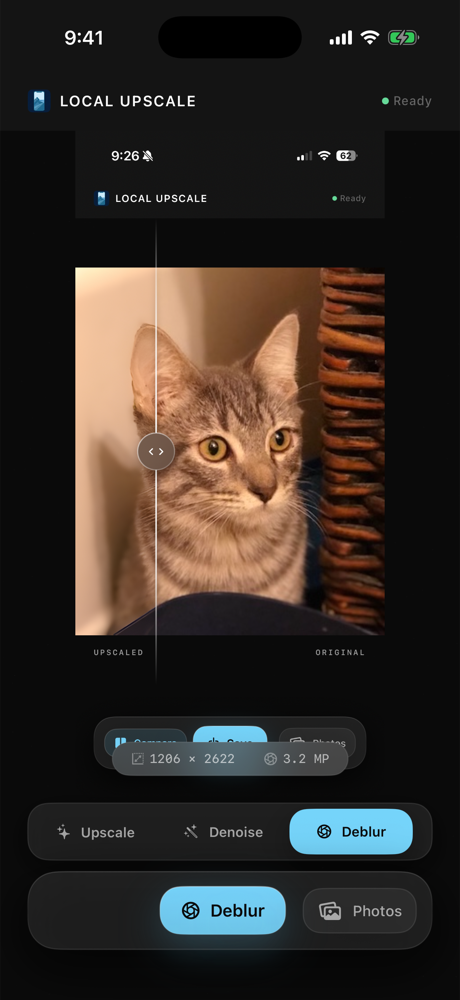
Photo enhancement apps often send images to remote servers. Local Upscale is designed around the opposite model.
The app runs photo processing on your device using bundled AI models, so there is no account to create and no cloud processing queue to wait in.
Local Upscale is intentionally simple: no analytics SDKs, no advertising, no tracking, and no photo-processing backend.
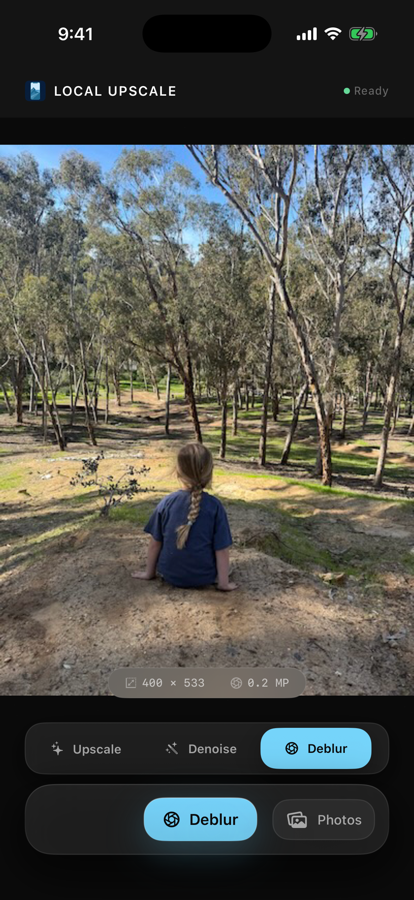
Use 4x upscale for low-resolution images, denoise for grainy photos, deblur for softer shots, and portrait restore when faces need more detail.
Review the original and enhanced image before writing a new result back to your Photos library.
Photos permission is used only for the actions you request, like selecting an image and saving the enhanced result.
Choose Local Upscale when you want to enhance photos on an iPhone or iPad without uploading them or starting a subscription. Compare the result at full size before saving a new copy.
Practical pages for the reasons people choose Local Upscale over cloud editors, upload queues, and subscription photo apps.
Why on-device processing matters when the photo is personal, private, or sensitive.
PricingHow a one-time purchase compares with recurring cloud photo enhancer plans.
WorkflowA focused workflow for upscaling, denoising, deblurring, and saving a clearer result.
Local UpscalerUse Local Upscale as a local upscaler when you want 4x enlargement, denoise, deblur, or portrait restore without a web upload, account, ads, or subscription.
OfflineImprove photos locally when an upload queue or subscription editor is not worth it.
Upscale OfflineA private workflow for enlarging low-resolution images and saving a clearer copy.
DenoiseClean noisy low-light images locally and compare before saving a new copy.
RestoreImprove old snapshots, scanned prints, and soft portraits without using a cloud editor.
DeblurHow to improve soft shots locally, compare the result, and avoid another subscription.
ScreenshotsTry deblur or upscale for soft screenshots without sending the image to a cloud tool.
AlternativeWhen you want a focused iPhone photo enhancer that runs locally instead of using a cloud queue.
Family PhotosA local workflow for old snapshots, portraits, scans, and personal images you want to keep private.
Short answers for people comparing Local Upscale with cloud photo enhancers and subscription editors.
4x describes the upscaling model. Large images may be reduced to stay within the device’s processing limits, so final dimensions depend on the source image and available memory.
No. AI enhancement estimates detail. Severely blurred images, tiny text, and faces can produce imperfect results. Keep the original and inspect the comparison before saving.
No. This website describes the iPhone and iPad app. Processing happens inside the app, which requires iOS or iPadOS 18.2 or later.
Yes. The enhancement pipeline is designed to run locally, so the app can process photos without a server connection.
No. Local Upscale does not collect, store, or sell personal information, and it does not upload photos to app servers.
No. Local Upscale is a paid App Store app with no ads and no subscription.
Download Local Upscale from the App Store and enhance images directly on your iPhone or iPad.
$9.99 one-time purchase · No subscription, no ads, no account